.svg "truvio_logo")

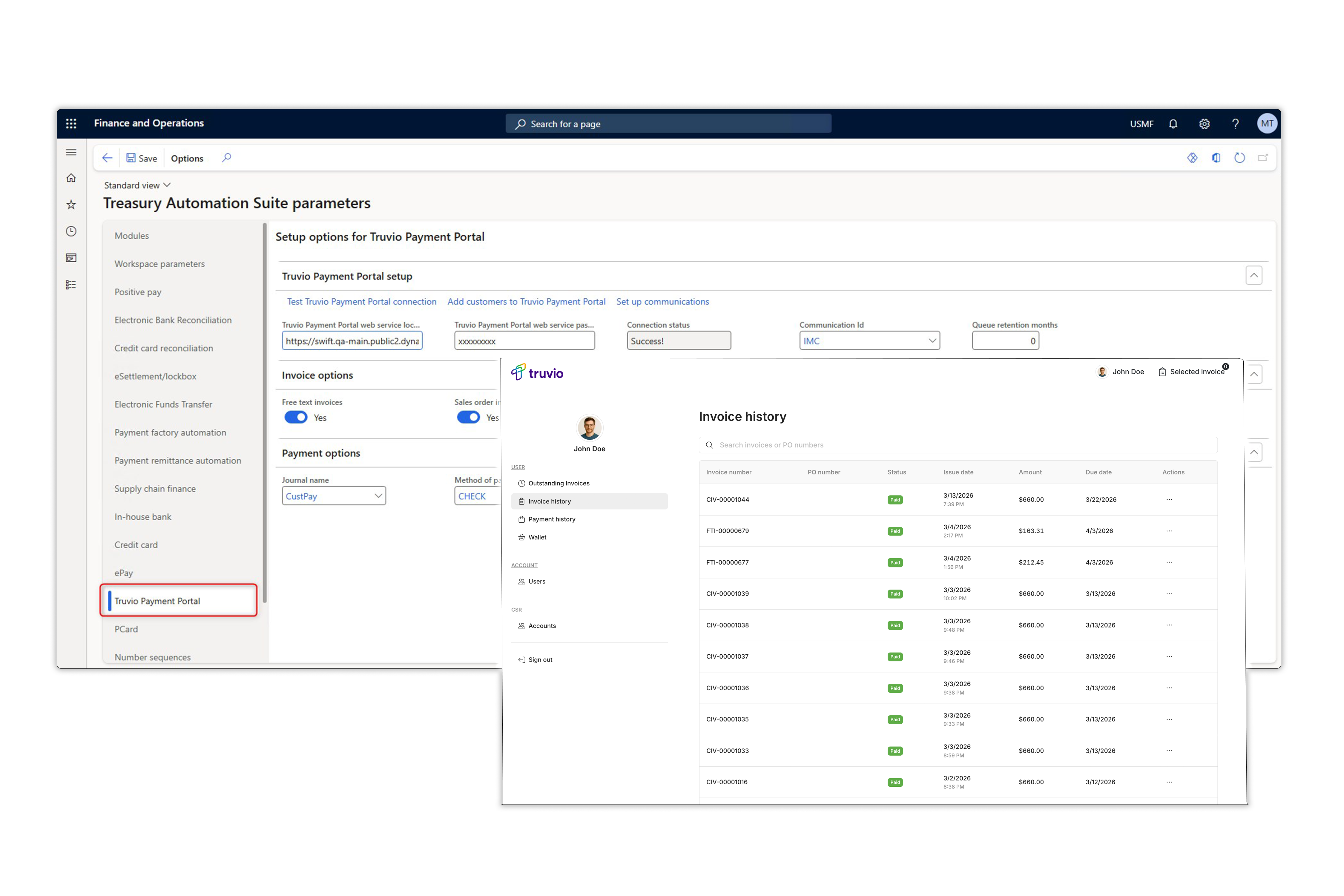

What you get with Truvio Payment Portal
The Truvio Payment Portal is a self-service invoice presentment and payment
solution fully integrated with Microsoft Dynamics, enabling customers to view, manage, and pay invoices online 24/7 - while finance teams gain efficiency and control.

Accelerated Payment Cycles
Streamlines the path from invoice issuance to
payment, reducing delays and improving cash flow.
Reduced Administrative Effort
Automates invoice presentment, notifications, and reconciliation—minimizing manual AR tasks.
Secure & Flexible Payment Processing
Supports credit/debit cards and electronic payments with real-time or scheduled processing.
Integrated with Dynamics 365
Bi-directional synchronization with Dynamics 365 ensures accurate, up-to-date invoice and payment data.
Reporting & Communication Automation
Offers exportable payment reports (Excel/CSV), automated document generation, and customizable email notifications.

CFO/VP Finance
“You’re chasing cash positions that should surface automatically. Late payments quietly become working capital problems no one flagged.”
With Payment Portal
You get real-time visibility into every outstanding receivable — from issuance to payment. Late payments get flagged before they become cash gaps, collections run without manual intervention, and your forecast finally reflects what's actually going to land.
Head of Accounts Receivable/AR Manager
"It's 3pm and you're still manually chasing the same invoices you chased last week — while your inbox fills up with customers asking 'has my payment gone through?'"
With Payment Portal:
Stop chasing. Start collecting. Give your customers a self-service portal to check invoice status, make payments, and download statements — so your team can focus on exceptions, not follow-ups.
IT Lead/D365 Admin
"Every D365 update is a hold-your-breath moment — because that bolt-on payment portal your finance team relies on wasn't built for it, and you're the one on the hook when it breaks."
With Payment Portal:
Built for Dynamics D365. No middleware, no separate security model, no vendor to chase after every update — just native architecture that rolls forward with your ERP, not against it.
Your Customers
"Your customer is digging through their inbox right now, trying to find that invoice you sent three weeks ago — and when they can't, they'll either call your AR team or just... not pay yet."
With Payment Portal:
Give your customers one place to view, download, and pay invoices — anytime, no phone calls, no email threads. When paying you is easy, they pay faster. And they stop calling your team to ask what's outstanding.
Who is it for?
Built for the Teams Behind the Invoice
Curious how the Truvio Payment Portal impacts your role and the challenges you face in your daily work? Check out the statements and see how the Payment Portal can help.
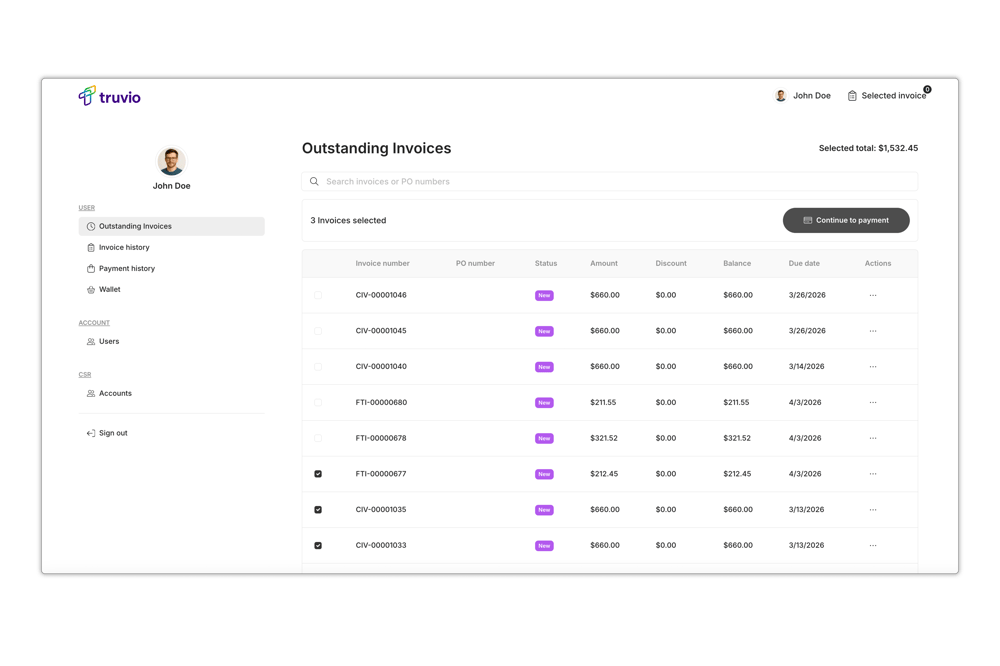
Outstanding Invoices
View all unpaid invoices, access detailed information, and select one or more for payment.
-
Invoice List View
A comprehensive list of all outstanding invoices with key details: invoice number, date, due date, amount, and status. -
Invoice Detail View
Click any invoice to see full details including line items, references, and associated order information. -
Multi-Select for Payment
Select one or more invoices using checkboxes to batch them into a single payment transaction. -
Automatic Status Update
Once paid, invoices automatically move from the outstanding list to Invoice History.
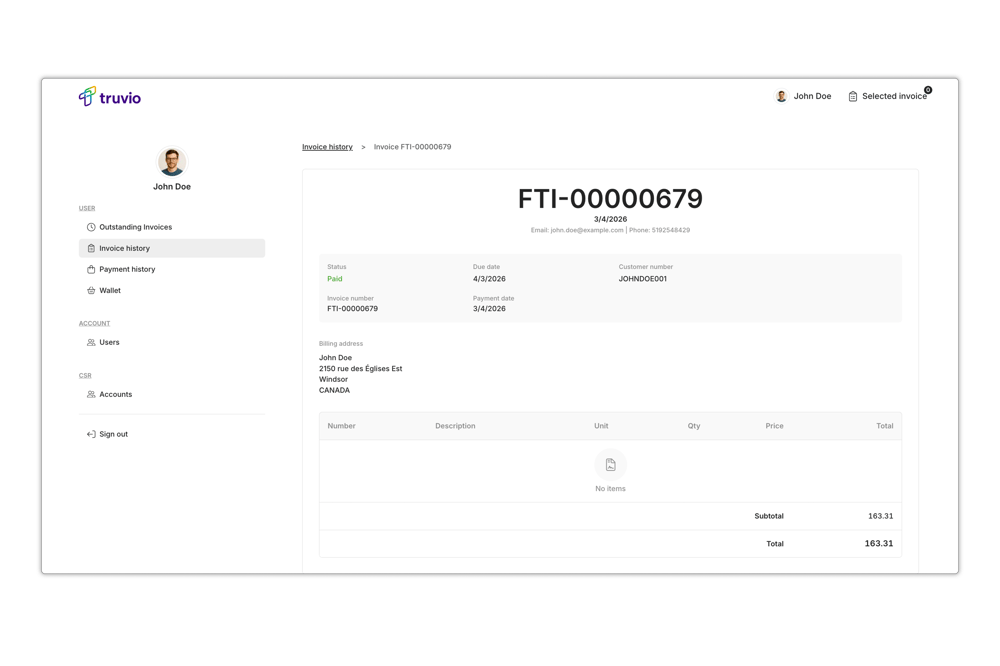
Invoice History
A complete, searchable record of all previously paid invoices in Microsoft Dynamics.
-
Paid Invoice List
Browse all invoices that have been fully paid, with date, amount, and payment reference. -
Invoice Detail View
Open any paid invoice to review full line item detail, order references, and payment timestamp.
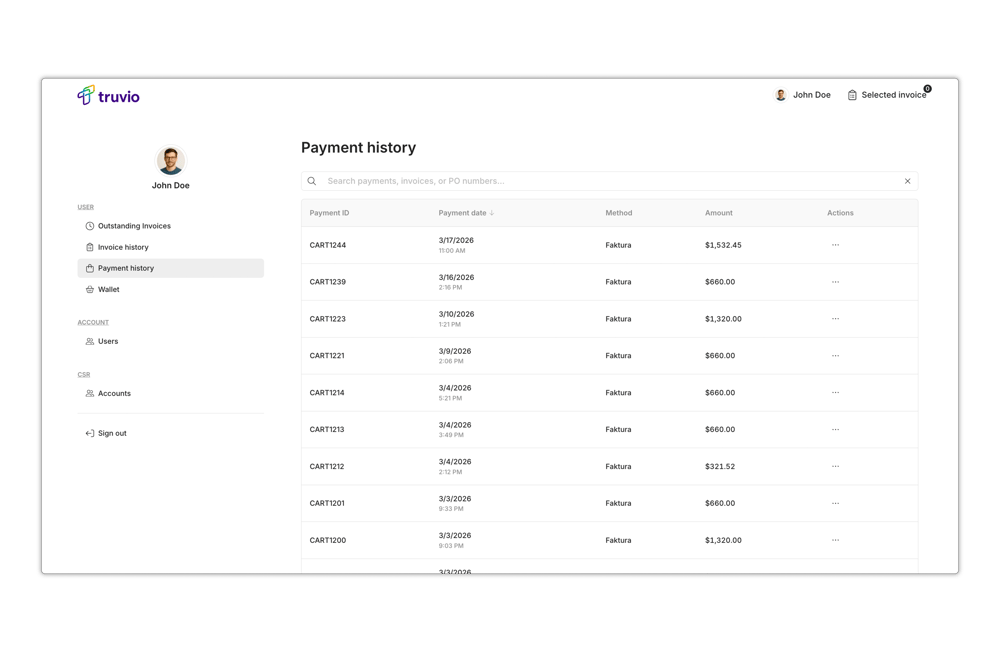
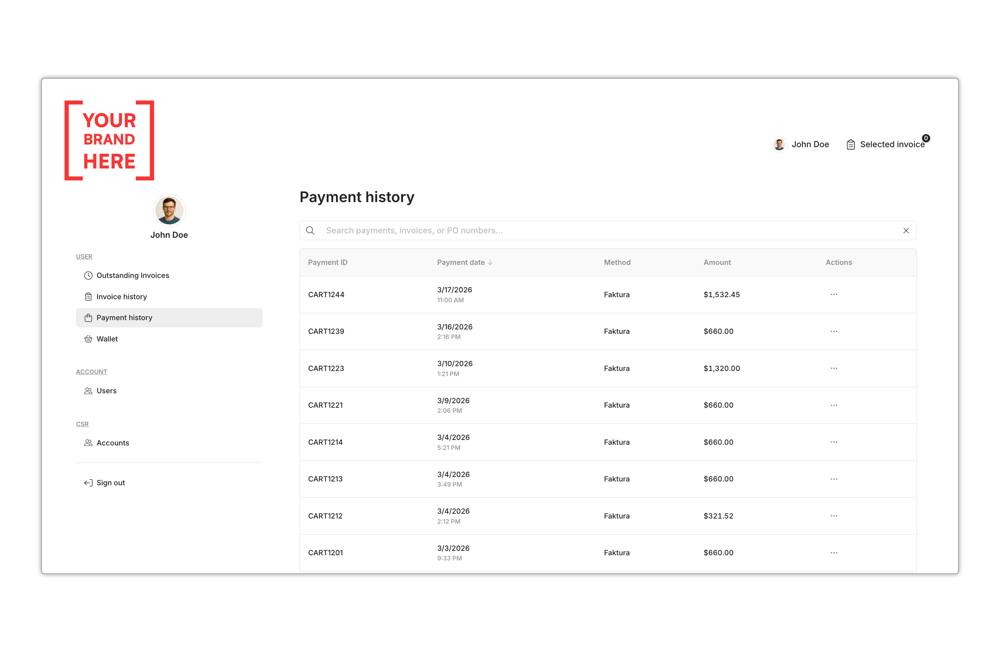
Payment History
Track every payment transaction, including which invoices were covered by each payment.
-
Payment List
A chronological list of all completed payments, showing date, amount, and payment method. -
Payment Detail View
Drill into any payment to see exactly which invoices were included — one payment can cover one or more invoices.
Login & Authentication
Secure & Flexible Access
External Authentication
Single Sign-On (SSO) via external identity providers such as Microsoft Entra ID or other SAML/OAuth providers.
- Reduced password fatigue
- Enterprise identity integration
- Centralized access management
Email & Password
Standard login using a registered email address and password. Users authenticate directly within the portal.
- Familiar sign-in experience
- Password reset flow
- Account-level access control
Make it Your Own
Turn every invoice payment into a brand moment. Customize your portal so clients feel your business at every step — from the first email to the final payment.
-
Your logo on invoices, emails, and the portal interface
-
Colors, fonts and more that match your identity
-
Your own domain
-
Branded email communications
No design skills needed. Set it up once, and you're good to go.
A Trusted Partner in the Microsoft Dynamics Ecosystem
We build solutions that align fully with Microsoft’s architecture, update cadence, and security standards. Truvio runs inside Dynamics 365, not alongside it, giving teams better performance, fewer integrations to manage, and an ERP foundation that stays current and grows with the business.