.svg "truvio_logo")


Truvio’s Business Central solutions automate key finance tasks, including bank statement integration, vendor payment automation, positive pay, and bank reconciliation, all embedded directly within Business Central to streamline processes and cut down manual work.
Why Truvio Banking Automation?
Automate banking tasks directly in Business Central to reduce manual work, minimize errors, and gain faster, more controlled financial operations.

Save Time
Automate outbound payments directly from Business Central by connecting your ERP to banking platforms worldwide.
Control Risk
Create and transmit payment files securely from within Business Central, reducing manual steps and supporting a seamless low-touch process.
Seamless Bank Connectivity
Enable real-time, two-way bank communication with embedded connectivity for secure, reliable transactions.
Automate Vendor Payments and Bank Statement Reconciliation in Business Central
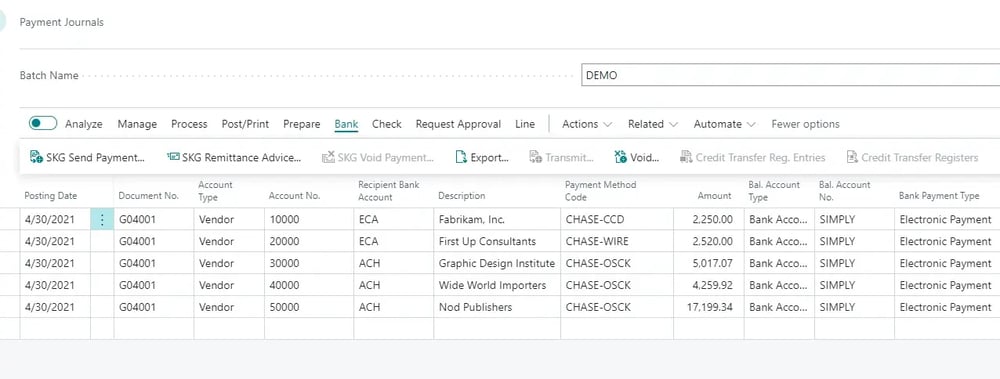
Truvio Vendor Payment Automation enables you to automatically generate and transmit payment files or payment data directly to your bank—all within Microsoft Dynamics 365 Business Central.
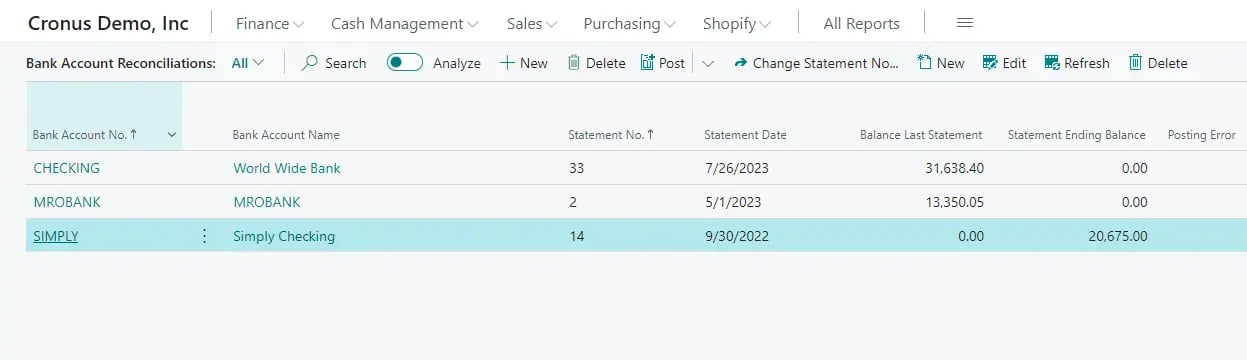
For greater efficiency and control, Truvio Bank Statement Integration brings seamless reconciliation automation by automatically importing statement data, creating missing transactions, intelligently matching entries, and posting reconciliations with minimal manual effort. Together, these capabilities eliminate time-consuming processes and help financial teams close faster with greater accuracy.
.png?width=1000&height=299&name=image%20(2).png)
Automate Customer Reimbursements with Built-in Payment Validation
Refunding customers in Business Central shouldn't require manual workarounds, vendor record juggling, or hours of reconciliation. Truvio Customer Reimbursement Automation streamlines the entire process by automatically generating reimbursement payments, creating bank-ready payment files, and validating all applicable fields to prevent errors before payments leave your system. With automatic remittance delivery and payment posting, your AR team can process refunds in hours instead of days—with near-zero manual mistakes.
Truvio Format Validation strengthens every payment step with three-stage protection: validate master data during vendor and customer onboarding to catch issues early, enable or disable configurable validation rules for your specific payment scenarios, and perform final validation during payment transmission to ensure nothing reaches the bank without approval. Every payment is tracked end-to-end with full audit trails, giving you compliance confidence and clear visibility from credit balance to settlement.
Automate Vendor Payments and Bank Statement Reconciliation in Business Central
Truvio Vendor Payment Automation enables you to automatically generate and transmit payment files or payment data directly to your bank—all within Microsoft Dynamics 365 Business Central.
For greater efficiency and control, Truvio Bank Statement Integration brings seamless reconciliation automation by automatically importing statement data, creating missing transactions, intelligently matching entries, and posting reconciliations with minimal manual effort. Together, these capabilities eliminate time-consuming processes and help financial teams close faster with greater accuracy.