

Truvio AP Automation accelerates invoice processing, reduces manual work, and improves financial visibility. By automating accounts payable workflows inside Dynamics 365, finance teams gain better control of cash flow and can focus more on strategic initiatives instead of administrative tasks.
How it works
Automate the routine. Work only on the exceptions.
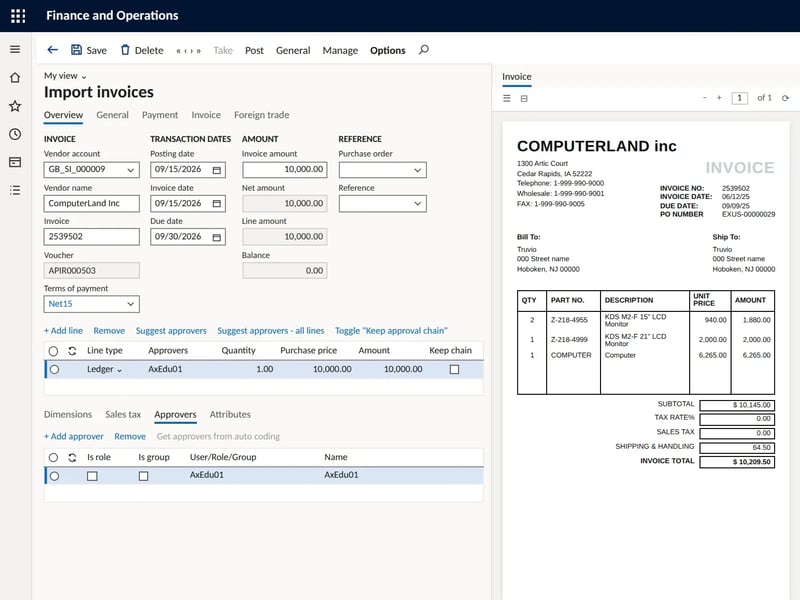
Most invoices should never need a person to touch them. Truvio takes each invoice from inbox to ledger inside D365 F&O and only brings your team the ones that genuinely need a decision.

Receive
Invoices arrive by email, PDF, scan, XML or e-invoice. AI capture reads them, going well beyond basic OCR.

Code
Lines are coded and validated automatically against accounts, dimensions and legal entities.

Match
Two and three way matching against purchase orders and goods receipt in D365 F&O.

Approve
Routed to the right approver by your rules, limits, entities and roles, on desktop or mobile.

Post
Approved invoices post straight to the D365 F&O ledger. One version of the truth.
Exceptions, handled the same every time.
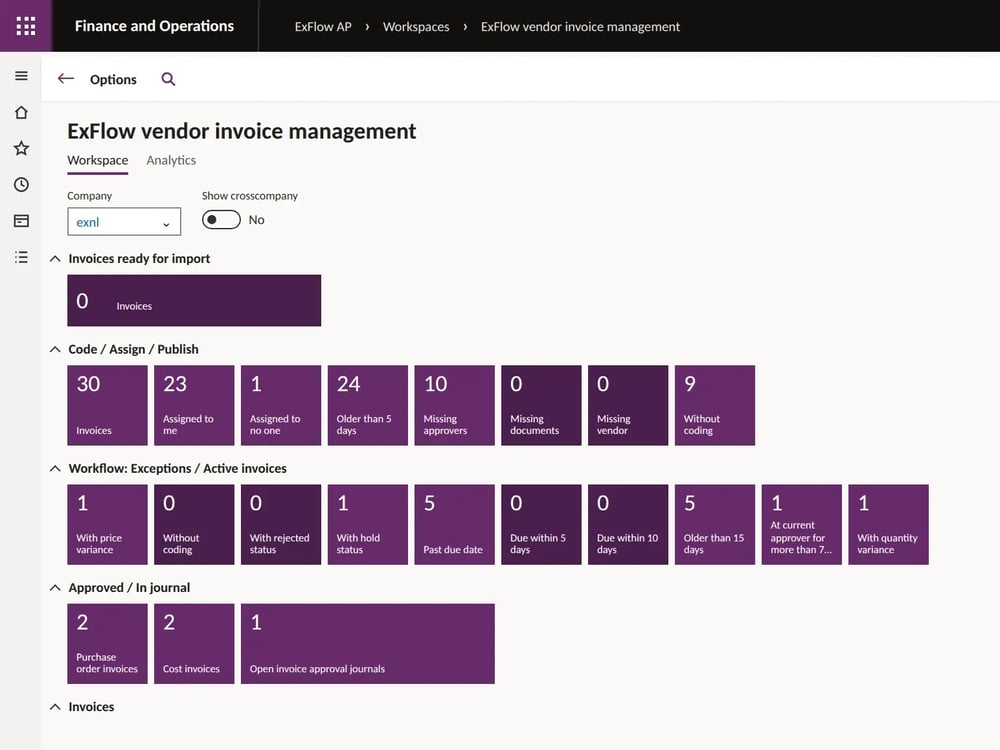
When an invoice does not add up, Truvio flags it, explains why, and routes it to the right person with the context to resolve it. The same rules apply on every invoice, in every entity, and every action is logged.
- Price or quantity variances
- Missing purchase orders or goods receipts
- Possible duplicates and anomalies
- Approvals outside policy or limit
Not built for D365 F&O. Built into it.
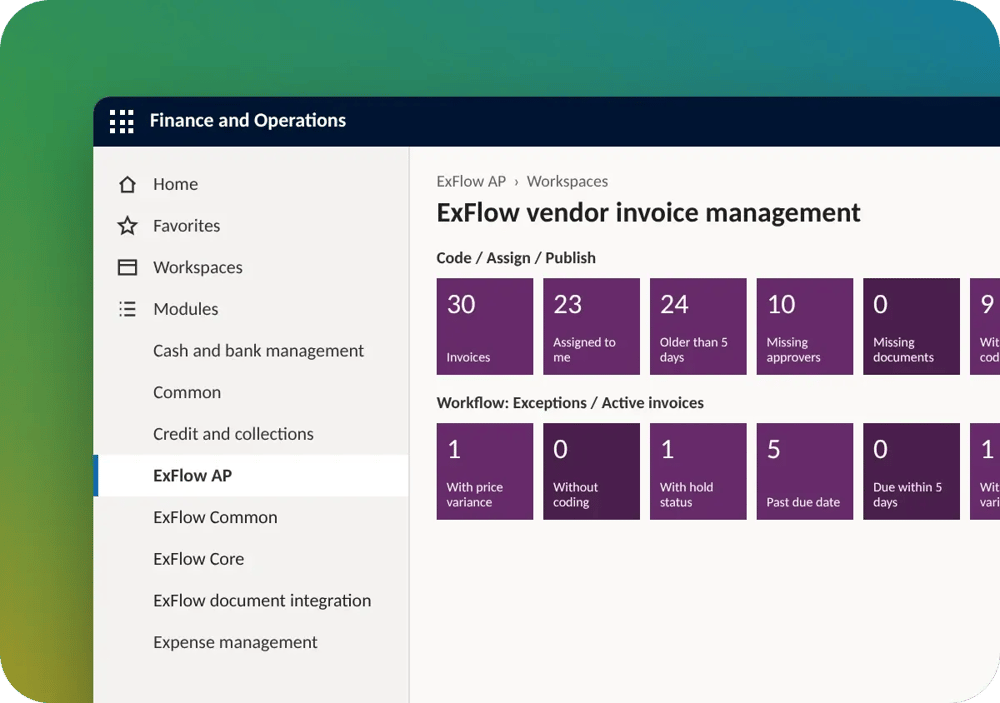
Standalone AP tools sit next to your ERP and sync data back. Truvio runs inside Dynamics 365 Finance & Operations, so there is nothing to integrate and nothing to reconcile between systems.
- No separate system or integration to maintain
- One trusted data source inside your ERP
- Native D365 security, roles and access control
- Familiar D365 screens, so finance teams adopt it faster
Control, Compliance & Visibility Across AP
Strengthen financial control while reducing risk and manual work.
-
Compliance and Audit Trail: Enforce approval policies, segregation of duties, and audit requirements across entities and regions, with a full audit trail.
-
Prevent Fraud and Payment Errors: Automatically detect duplicate invoices, anomalies, and unauthorized transactions before payments are released.
-
Vendor Statement Reconciliation: Identify discrepancies between vendor statements and recorded transactions and guide reconciliation workflows.
-
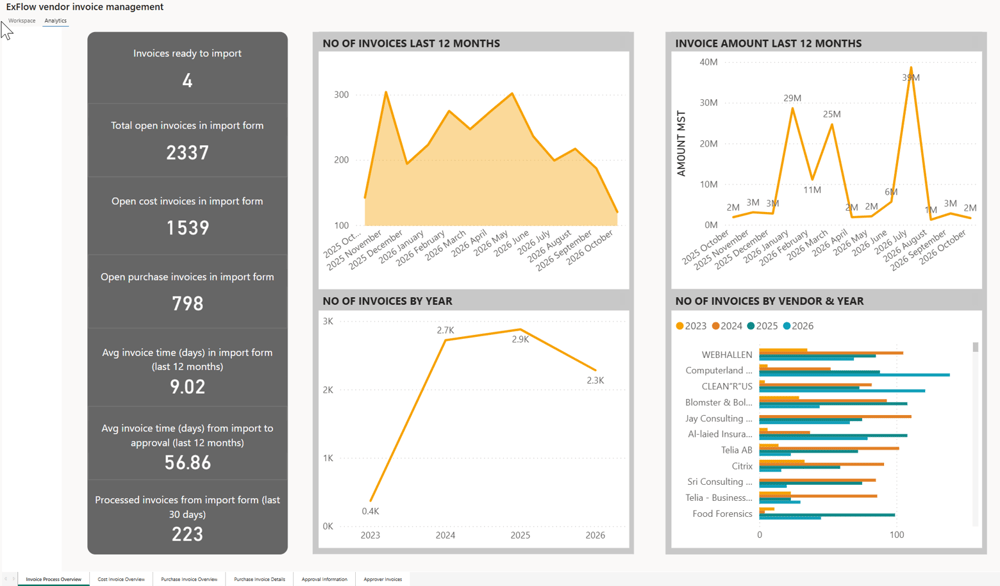
AI-Driven Insights & Suggestions: See invoice status, liabilities, approvals, exceptions, and AP performance in real time, with recommendations on what to act on next.
,,It’s easy to automate an invoice end to end through the system, and the visibility and accessibility of that invoice is a big advantage."

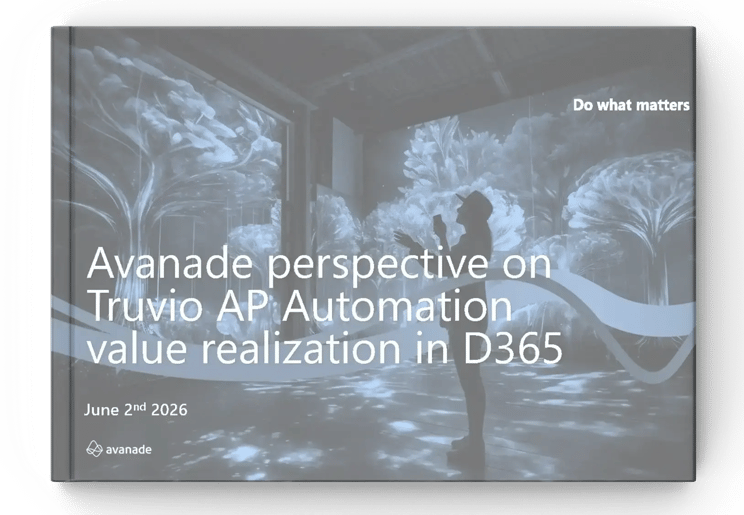
Independent Research by Avanade
Rated highest for Dynamics 365 in Avanade's enterprise AP benchmark
Avanade assessed leading AP automation solutions for Dynamics 365 against enterprise criteria such as automation depth, control, scalability and fit with the ERP. Truvio AP Automation scored highest, at 4.65 out of 5. The report also documents real results, including how Teleperformance Nordics processes an invoice in 4 minutes with Truvio inside D365 Finance & Operations, compared with 17 minutes in the UK and 11 minutes in France.
4.65/5 enterprise fit score
76% less invoice processing time, at best
70 to 75% hands free processing target
Control and compliance
Control, compliance and visibility across AP

Compliance and audit trail
Enforce approval policies, segregation of duties and audit requirements across entities and regions, with a full audit trail.
Prevent fraud and payment errors
Detect duplicate invoices, anomalies and unauthorized transactions before payments are released.
Vendor statement reconciliation
Identify discrepancies between vendor statements and recorded transactions and guide reconciliation.
AI driven insights
See invoice status, liabilities, approvals and exceptions in real time, with suggestions on what to act on next.
Invoice to pay
Connect the rest of your AP process
Combine AP Automation with these products for a connected invoice to pay process inside D365 F&O.

Data capture
AI capture that reads every incoming invoice format before it reaches AP.

Payment Automation
Generate payment files in D365 and send them straight to your banks.

Vendor Statement
Reconcile vendor statements against your ledger, line by line.

E-invoicing
Send and receive compliant e-invoices directly from D365.