

.svg "logo (1)")
Why Truvio AP Automation?
Automate the entire AP process inside Dynamics 365. From invoice capture to posting, Truvio reduces manual work while improving control, accuracy, and visibility.

Faster Invoice Processing
Automate invoice capture, matching, and validation to accelerate processing in Dynamics 365.
Lower AP costs
Reduce manual work and reprocessing with automated workflows that lower the cost per invoice.
Scalable AP operations
Handle high invoice volumes across entities, currencies, and regions without extra administrative overhead.
Compliance & Fraud Control
Built-in validations, approval rules, and audit trails reduce fraud risk and ensure compliance.
Faster Month-End Close
Real-time visibility into invoices and liabilities helps finance teams close faster and make better decisions.
/AP%20Automation/FO_APautomation_1-1.webp?width=2000&name=FO_APautomation_1-1.webp)
How Truvio AP Automation Benefits Your Business
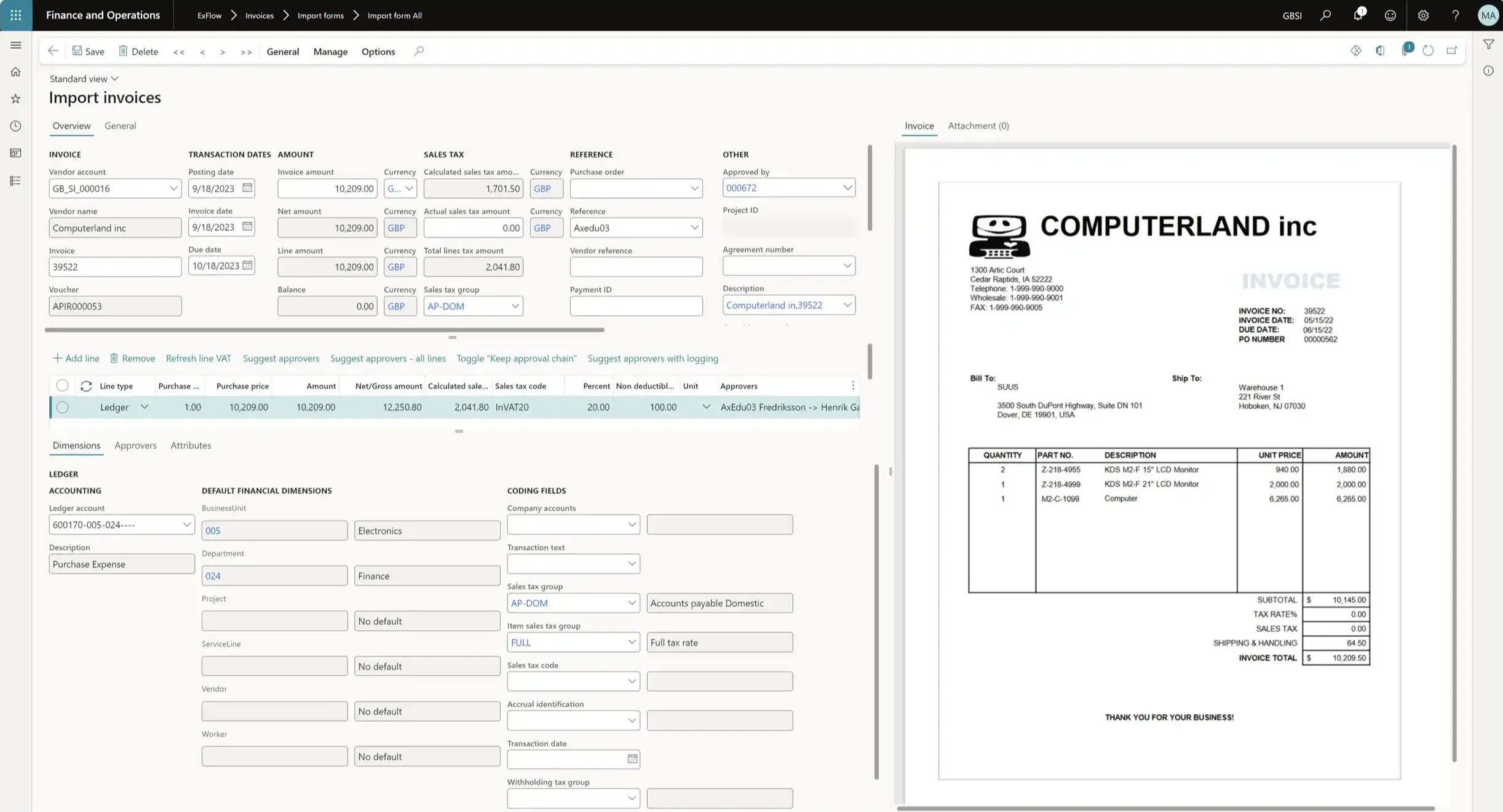
Truvio AP Automation streamlines the entire invoice lifecycle in Dynamics 365 Finance & Operations, from invoice capture and validation to approval and posting. By automating manual tasks and embedding controls directly inside your ERP, finance teams can process invoices faster, improve compliance, and gain real-time visibility into liabilities and AP performance.
Intelligent Invoice Capture
Capture invoices from multiple channels including PDF, XML, and structured formats, fully supporting modern e-invoicing workflows across your supplier network.
Invoices are validated and prepared for matching and approval directly in Dynamics 365, reducing manual entry and accelerating processing.
Automation of Complex & High-Volume Workflows
Automate data entry, matching, and approval routing to handle large invoice volumes efficiently. Configurable workflows ensure invoices reach the right approvers while enabling faster straight-through processing.
/E-Invoicing/exflow-e-invoicing-fo-doc-integration-scaled.webp?width=2000&height=1125&name=exflow-e-invoicing-fo-doc-integration-scaled.webp)
Control, Compliance & Visibility Across AP
Strengthen financial control while reducing risk and manual work. Built-in validation, reconciliation, and analytics help finance teams prevent errors, enforce compliance, and maintain complete visibility across the AP process.
-
E-Invoicing and Compliance
Enforce approval policies, segregation of duties, and audit requirements across entities while maintaining a full audit trail. -
Prevent Fraud and Payment Errors
Automatically detect duplicate invoices, anomalies, and unauthorized transactions before payments are released. -
Vendor Statement Reconciliation
Identify discrepancies between vendor statements and recorded transactions and guide reconciliation workflows. -
AI-Driven Insights & Suggestions
Gain real-time visibility into invoice status, liabilities, and AP performance with intelligent insights and recommendations.

Built Inside Dynamics 365
Unlike standalone AP tools, Truvio works directly within Dynamics 365 Finance & Operations.
- No separate systems or integrations
- One trusted data source inside ERP
- Native security and access control
- Faster adoption for finance teams
How Truvio AP Automation Works
1. Capture
Import invoices from email, PDF, scanned documents, or e-invoice channels.
2. Validate & Match
Automatically match invoices to purchase orders and receipts.
3. Approve
Route invoices through configurable approval workflows.
4. Post in D365
Approved invoices are posted directly to Finance & Operations.
5. Analyze
Gain real-time visibility into liabilities and AP performance.

AP Automation for Dynamics 365 Finance & Operations
Truvio AP Automation helps organizations automate accounts payable directly inside Microsoft Dynamics 365 Finance & Operations. By combining invoice capture, validation, matching, approvals, and posting in one workflow, finance teams can reduce manual work, improve accuracy, and gain real-time visibility into liabilities. Built natively for Dynamics 365, the solution enables scalable invoice processing with stronger financial control and compliance.
Truvio AP Automation can also be combined with Invoice Data Capture to automate document processing and Payment Automation to streamline payments, creating a connected invoice-to-pay process across the AP lifecycle.

FAQ
1) How does AP Automation increase competitive advantage?
Truvio AP Automation accelerates invoice processing, reduces manual work, and improves financial visibility. By automating accounts payable workflows inside Dynamics 365, finance teams gain better control of cash flow and can focus more on strategic initiatives instead of administrative tasks.
2) How does it add value beyond standard Dynamics 365 functionality?
While Dynamics 365 provides the ERP foundation, Truvio AP Automation adds intelligent invoice capture, validation, matching, approvals, and e-invoicing capabilities. This automation helps finance teams manage high invoice volumes more efficiently while improving accuracy, compliance, and audit visibility.
3) What advantages does it offer over standalone AP automation software?
Because Truvio is built directly inside Dynamics 365, there’s no need for complex integrations or data synchronization between systems. Finance teams work in the same familiar ERP environment with real-time data, improving consistency, reducing maintenance, and lowering total cost of ownership.