.svg "logo (1)")

Why Truvio Reconciliation & Settlement?
Developed by our team of banking professionals, Truvio’s automated bank reconciliation and settlement software is purpose-built to improve accounting efficiency.

Designed for Financial Leaders
Truvio Reconciliation & Settlement streamlines bank reconciliation in Dynamics 365, helping finance teams improve accuracy and control.
Powerful Automation
Automatically import statement data, match transactions intelligently, and post reconciliations faster while reducing manual effort.
Customizable to Your Cadence
Run reconciliations daily, weekly, or monthly with flexible mappings that support consistent, frictionless financial operations.
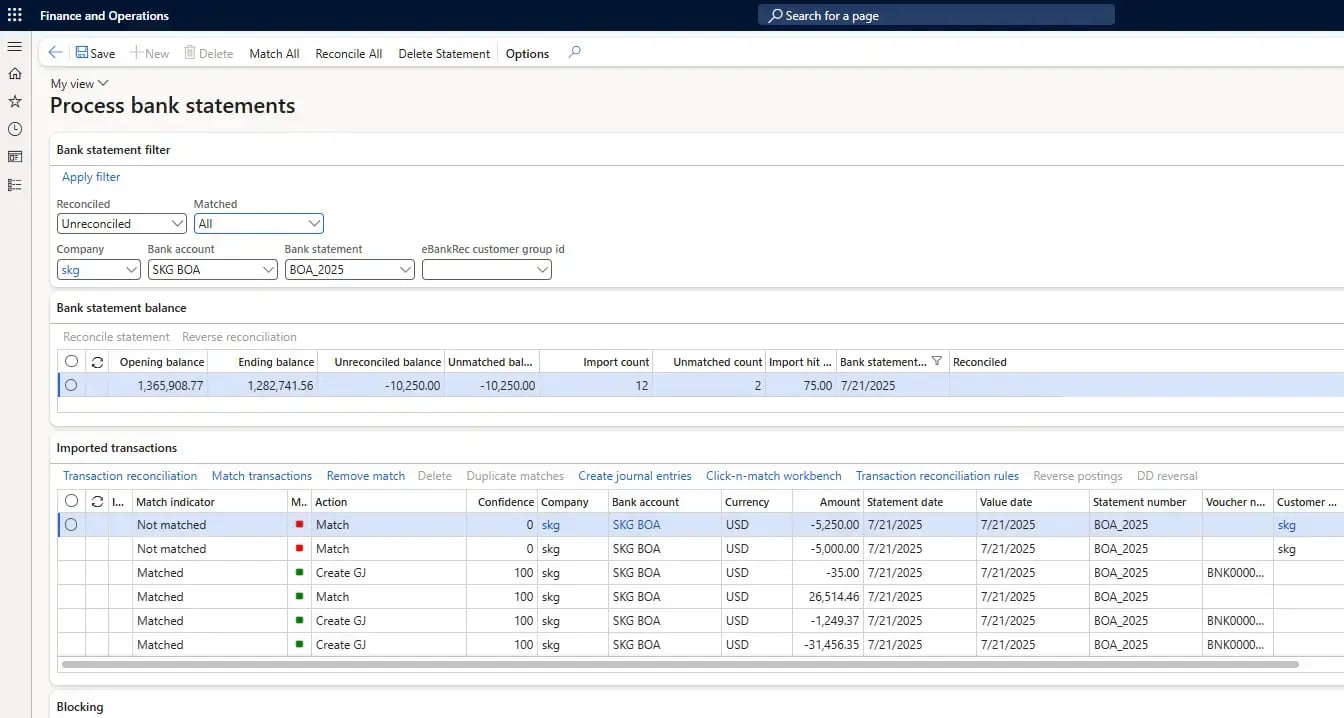
Automate Bank Reconciliation and Accelerate Settlement in Dynamics 365
Truvio Reconciliation and Settlement automates the matching and clearing of bank statements, payments, and open transactions directly within Microsoft Dynamics 365—reducing manual effort and speeding up financial close.
With configurable matching rules, exception handling, and clear audit trails, it ensures accurate cash positioning and more reliable settlement across accounts and legal entities. By transferring reconciliation oversight to an automated system that can spot errors in seconds, accounting teams and controllers are freed from time-draining manual work and can focus on higher-value activities such as identifying and preventing fraud.
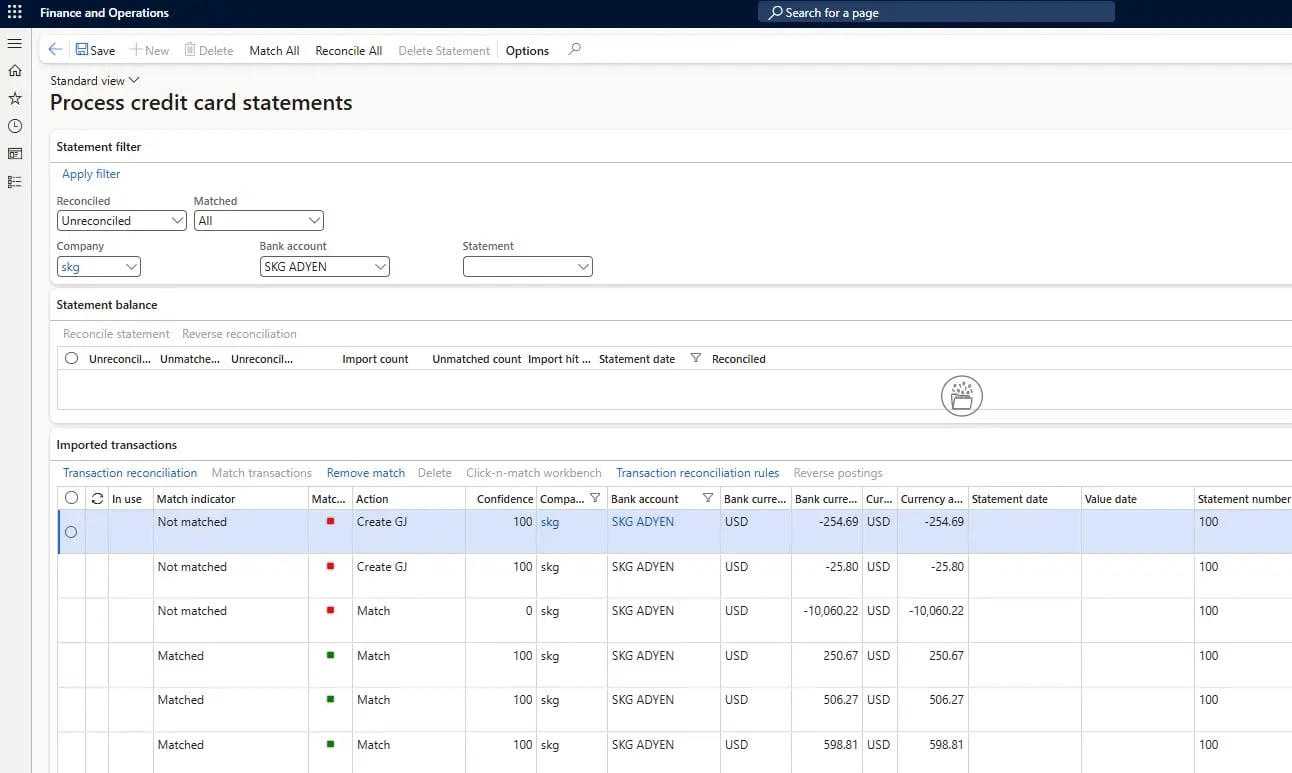
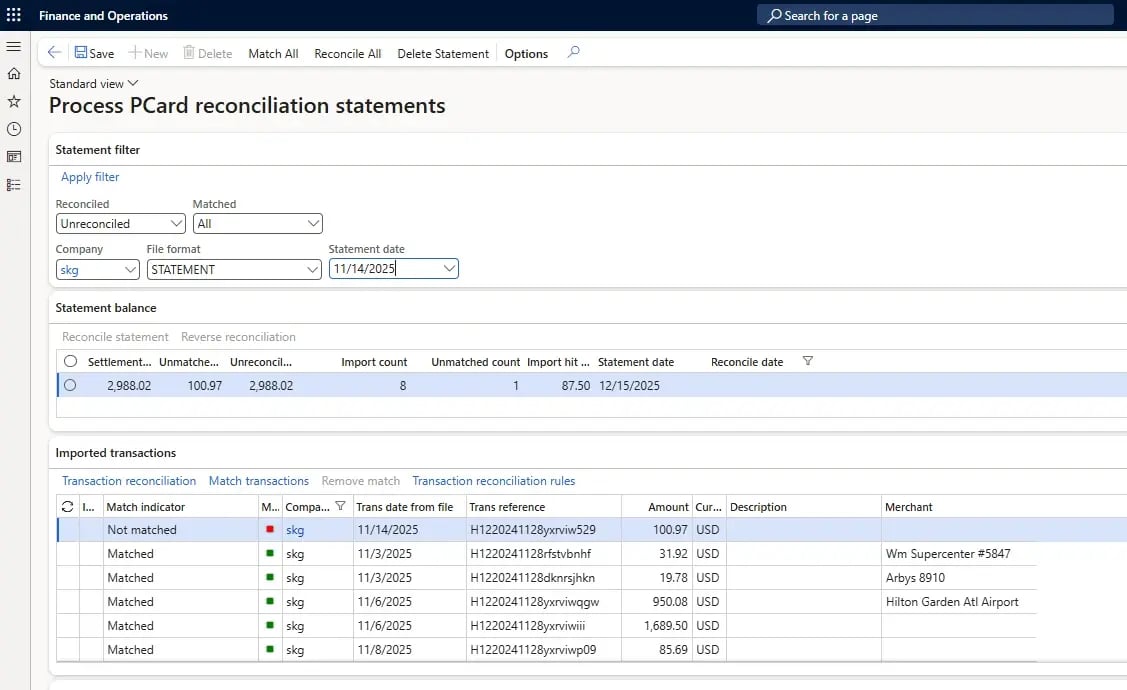
Automate Credit Card and P-Card Reconciliation in Dynamics 365
Truvio automates credit card reconciliation directly within Microsoft Dynamics 365, improving visibility, accuracy, and control across your financial processes.
The fully embedded credit card reconciliation module uses a rules-based engine to surface discrepancies, allowing accounting teams to quickly identify and isolate transactions that don’t match your ERP. Truvio’s P Card module further streamlines the recording, accrual, and reconciliation of procurement card transactions, integrating seamlessly with third-party expense platforms. Together, these solutions eliminate manual effort and help accelerate month-end close.
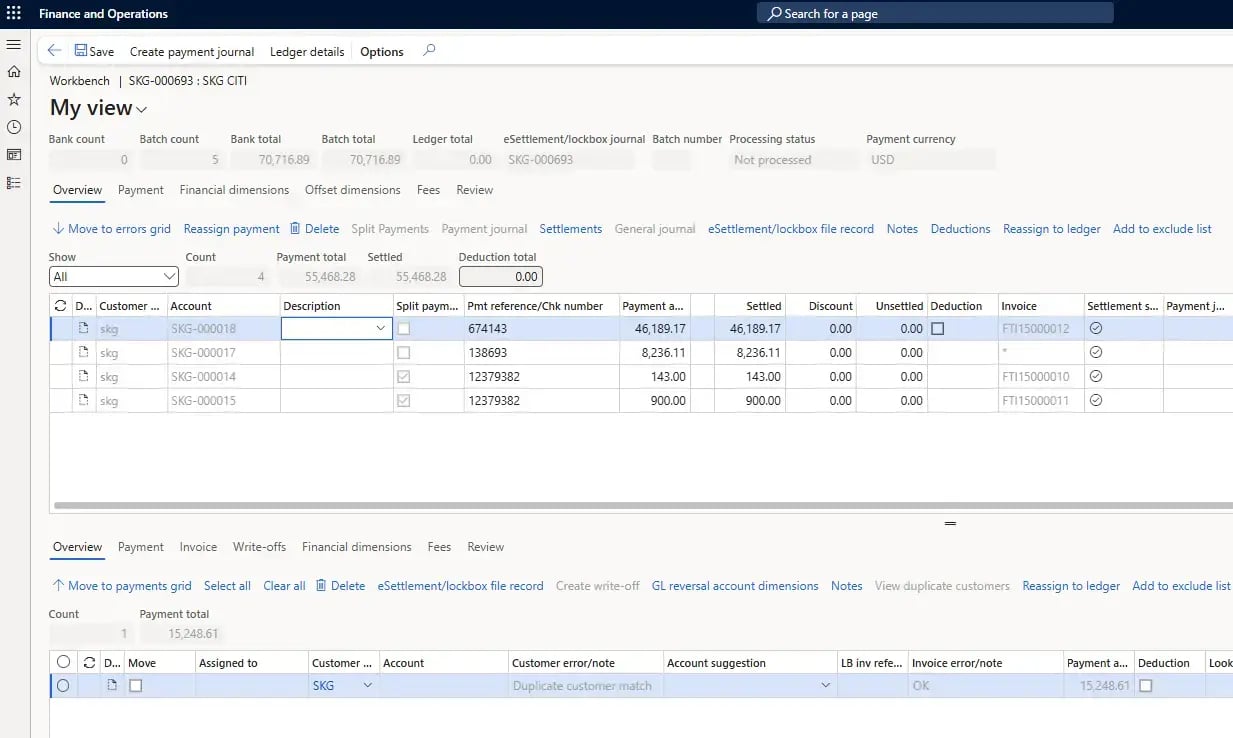
Automate Customer Payment Settlement and Remittance Processing in Dynamics 365
Truvio Accounts Receivable eSettlement with Lockbox+ resolves the challenges of manually recording customer payments, settling them against the correct invoices, and managing payment journals and lockbox deposits.
With Truvio’s AReSettlement module, lockbox files and other customer payment files are processed automatically within Microsoft Dynamics 365. Payment Remittance Automation further ensures payments never get separated from their remittance advice by using OCR technology to scan incoming remit emails and convert them into structured data in D365—improving accuracy, saving time, and accelerating cash application.

FAQ
1.) Which banking formats are covered?
Our format library boasts compatibility with standard bank statement files commonly used worldwide. For instance, in the US, the BAI2 format is generally what we see, while Europe favors CAMT.053 and LATAM relies on MT940. For AReSettlement, we support multiple file formats, including BAI2 (distinct from prior day reporting files), CAMT54V2, EDI820, EDI823, as well as some bank-specific formats, offering unmatched flexibility and compatibility. Additionally, with both automated bank reconciliation and AReSettlement, our system seamlessly integrates with flat files or CSV formats, ensuring compatibility with diverse banking systems and simplifying the data import process. We collaborate with your bank to determine the optimal format for your specific needs.
2.) What security protocols are in place to protect my organization’s data?
Our security protocols practices and technologies are designed to protect data, ensure privacy, and maintain the integrity of systems. Files are stored with Azure storage using your Azure subscription. From the time data transmission starts until the file is secure at the bank, it does not leave the Azure infrastructure. All files stored in Azure are encrypted using server-side encryption (SSE). Encryption is 256-bit AES and is FIPS 140-2 compliant. Our BankFabric database, including backups, is encrypted on disk, using an FIPS 140-2 validated cryptographic module and an AES 256-bit cipher for the Azure storage encryption, with 99.99% uptime SLA guaranteed by Microsoft. All communication is encrypted via SSL (TLS 1.2) and authenticated by Microsoft Identity servers. BankFabric application security is handled through a framework where your administrator can add users and give specific permissions for each page of the application. In some cases, more granular security is configurable.
3.) How Does Truvio connect my D365 platform to my bank?
BankFabric acts as the conduit between Dynamics 365 and your banks. The BankFabric platform supports SFTP transmissions, which ensures secure and efficient transfer. Truvio provides the flexibility to support APIs, allowing you to choose the transmission method that aligns with your preferences and the bank’s preferences and security requirements. Dynamics 365 connects to BankFabric through a secure API and pin exchange process. BankFabric can then connect to your banks through various supported transmission protocols (SFTP, EBICS, Web API, etc.).