.svg "logo (1)")

Why Truvio PIM for BC?
Business Central is built for operations, not complex product data. Truvio PIM extends BC with the tools you need to structure, enrich, and scale your product information.

Handle complex product specs and variants
Structure rich product data with attributes, variants, and relationships that go beyond standard item cards in Business Central.
Manage data across multiple sales channels
Maintain one product master and publish consistent data to eCommerce, marketplaces, catalogs, and partners.
Store and manage rich media like and technical drawings
Centralize images, videos, documents, and technical drawings alongside product data for easy access and reuse.
Manage data across multiple languages and markets
Localize product content per market with language-specific values, units, and channel requirements.
Free White Paper: PIM for Business Central
Download the white paper to explore how PIM and Business Central work better together:
-
Why ERP alone struggles with complex product data
-
The key benefits of integrating PIM with Dynamics 365 Business Central
-
How Truvio PIM extends Business Central without disrupting workflows
-
Real-world business impact, including the Brøns Group case
-
How to create a single source of truth for product data
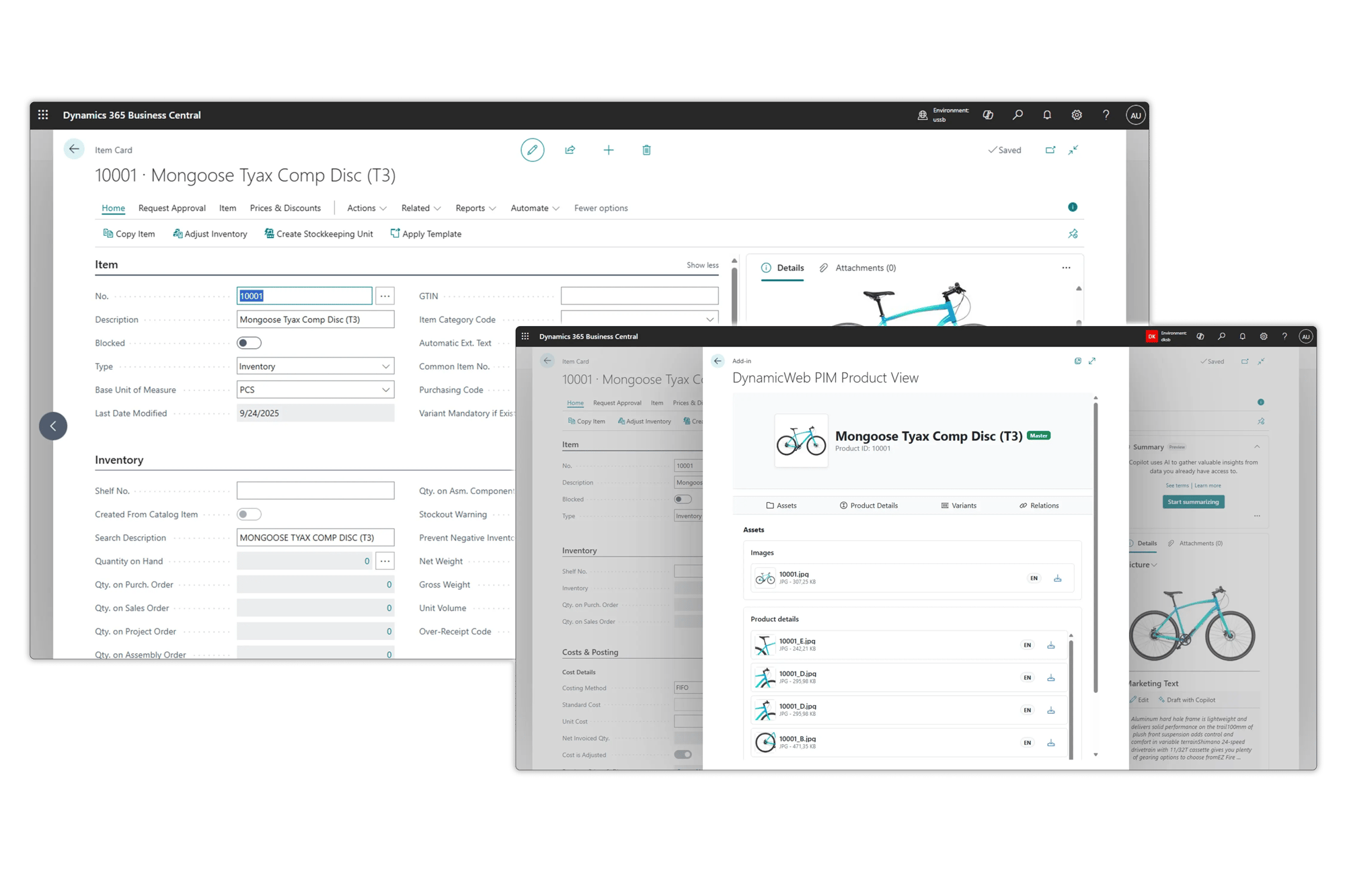
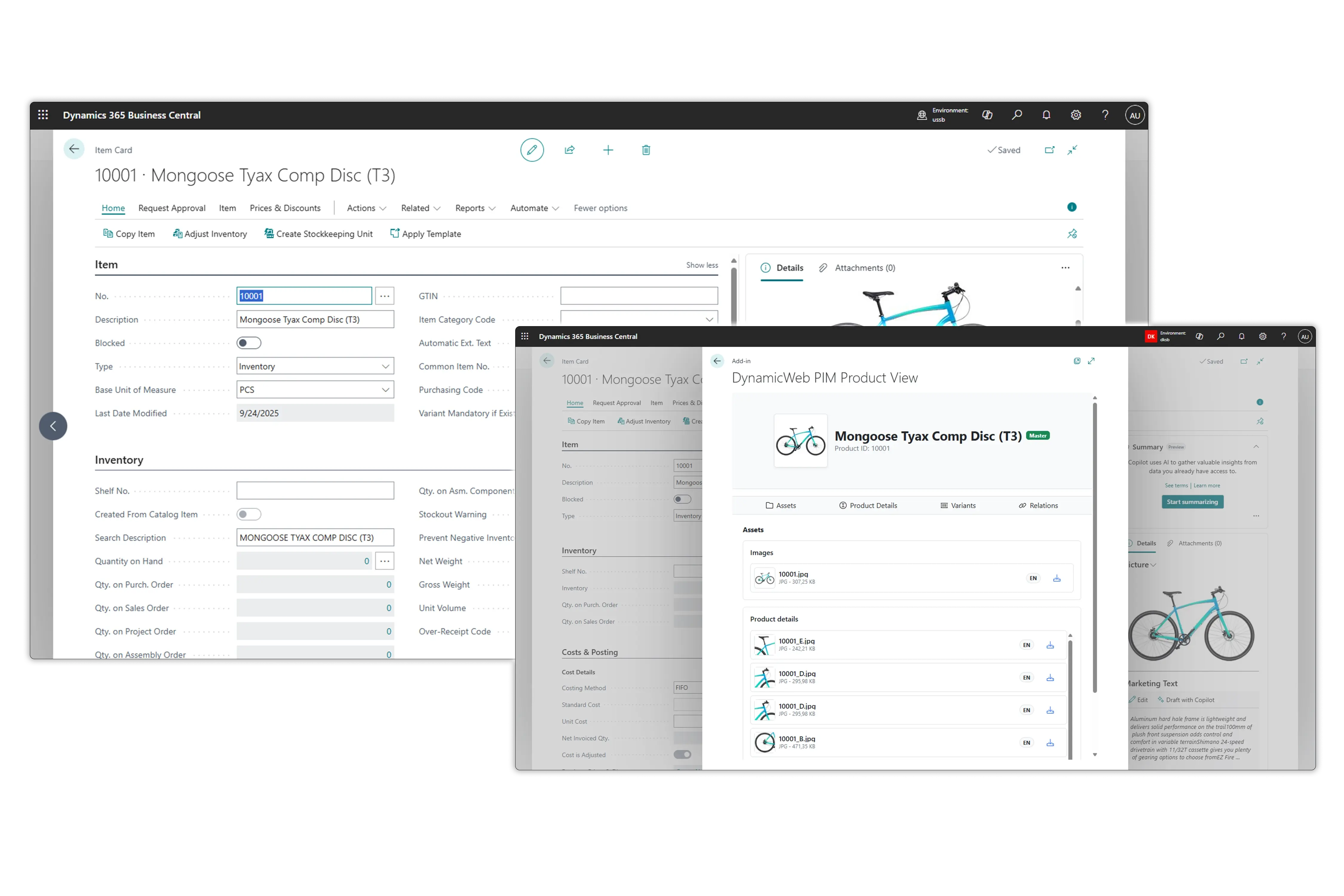
Truvio PIM Runs Natively Inside Microsoft Dynamics 365 Business Central
Truvio PIM lives directly inside Microsoft Dynamics 365 Business Central, giving ERP users a familiar, frictionless product data management experience.
It works entirely within Business Central without external dashboards or middleware and behaves like a native extension rather than a disconnected add-on. With full synchronization, shared security, roles, and permissions, and a consistent look and feel, Truvio PIM ensures faster user adoption and a trusted, unified working environment.
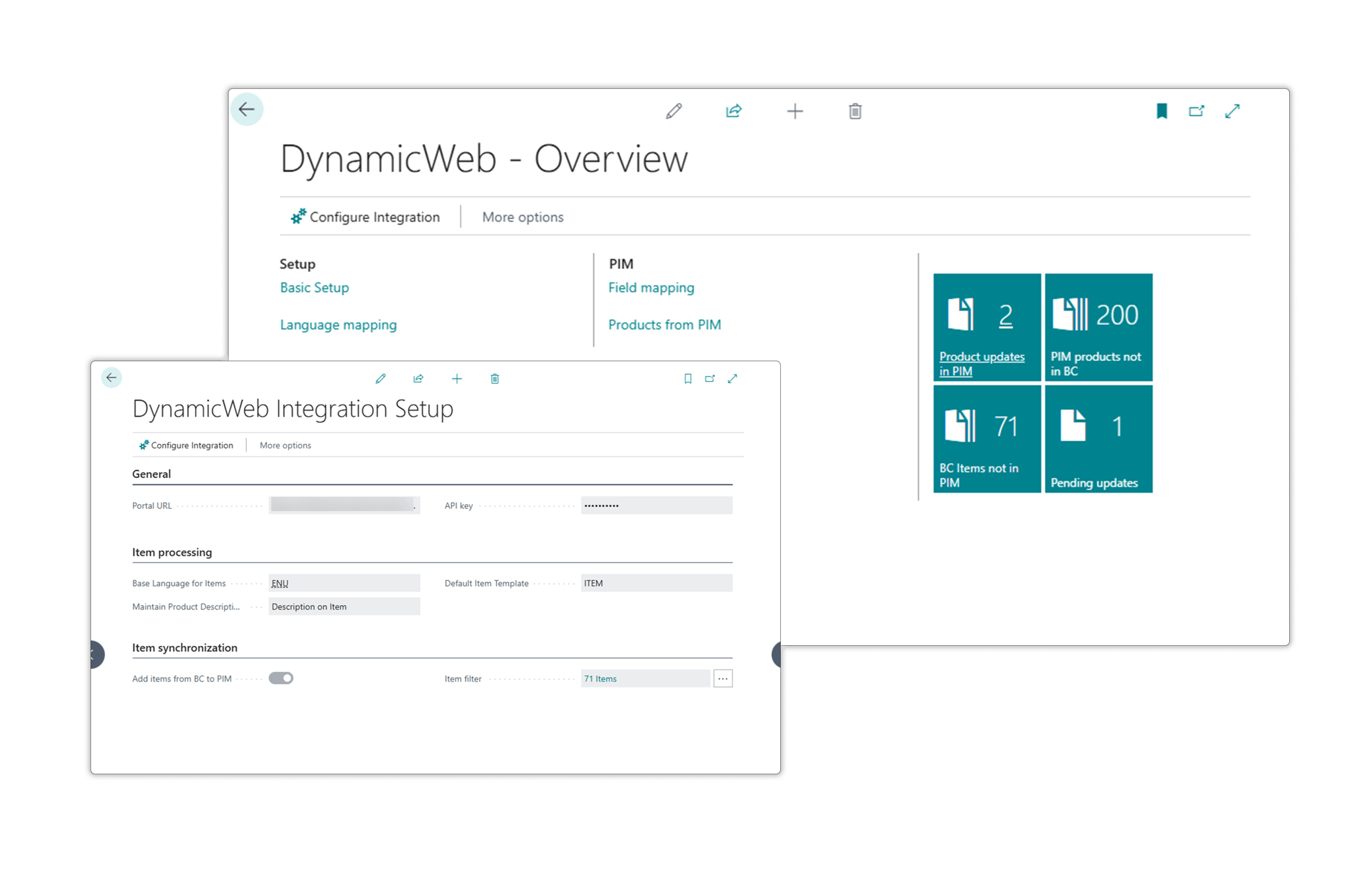
Familiar, Reliable, and Low-Risk PIM Integration for Business Central
Truvio PIM is designed to extend Microsoft Dynamics 365 Business Central, not disrupt it, by respecting the business logic, templates, and workflows your ERP users already know.
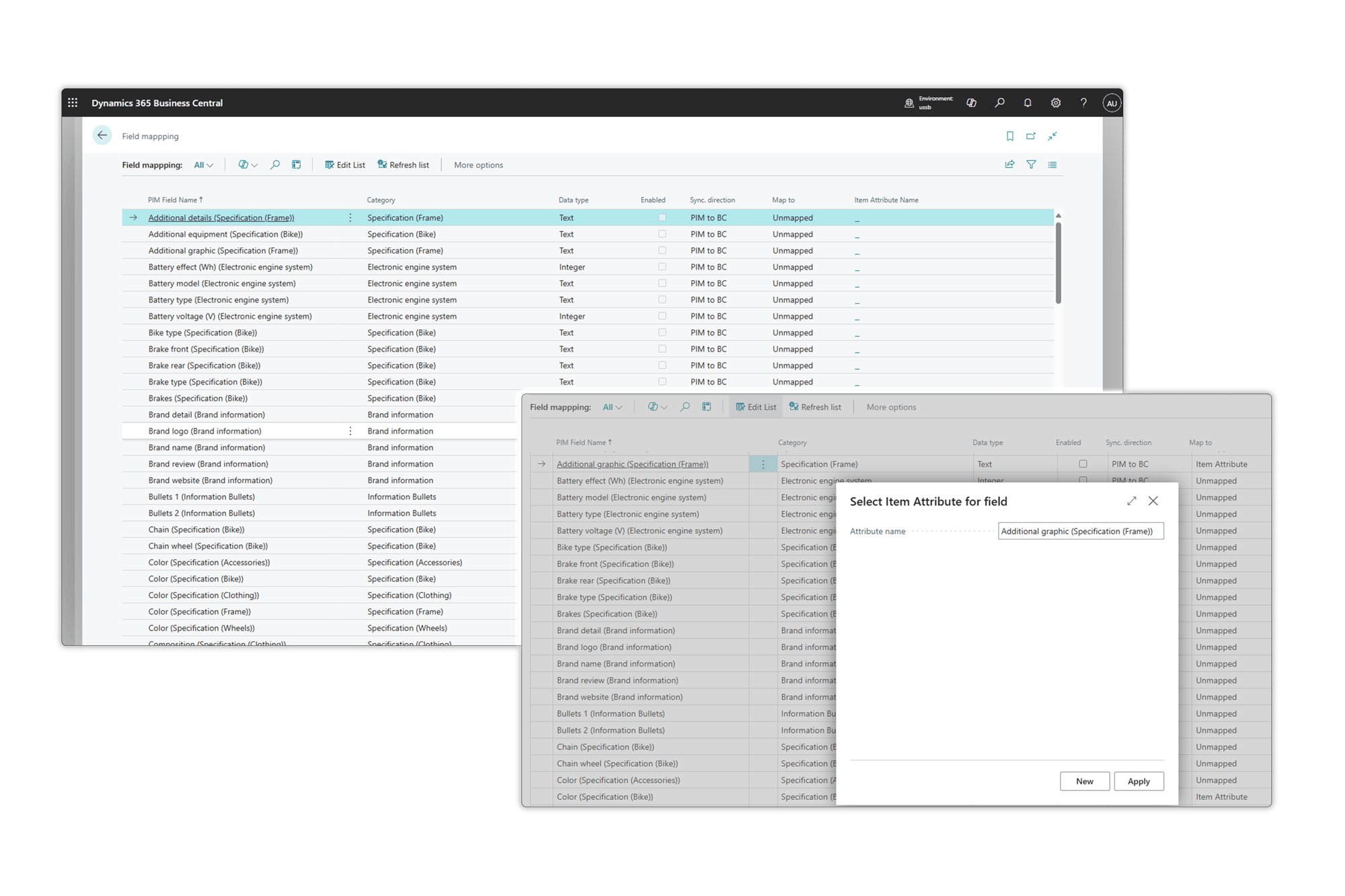
By using native item templates, posting groups, filters, and language settings, product data behaves exactly like standard Business Central data. With no external systems to maintain and all configuration, mapping, and synchronization handled inside Business Central, Truvio PIM delivers a low learning curve, secure governance, and trusted master data management through role-based security.
One Unified Experience with a Single Source of Product Truth
With Truvio PIM connected directly to Microsoft Dynamics 365 Business Central, users gain a unified view of product master data exactly where they expect it: On the item card inside Business Central.
Product descriptions, attributes, images, and translations are centrally managed and seamlessly synchronized without duplicate entry or manual imports. This unified experience ensures cleaner ERP data, faster time-to-market, and greater confidence in the accuracy of product information across the business.
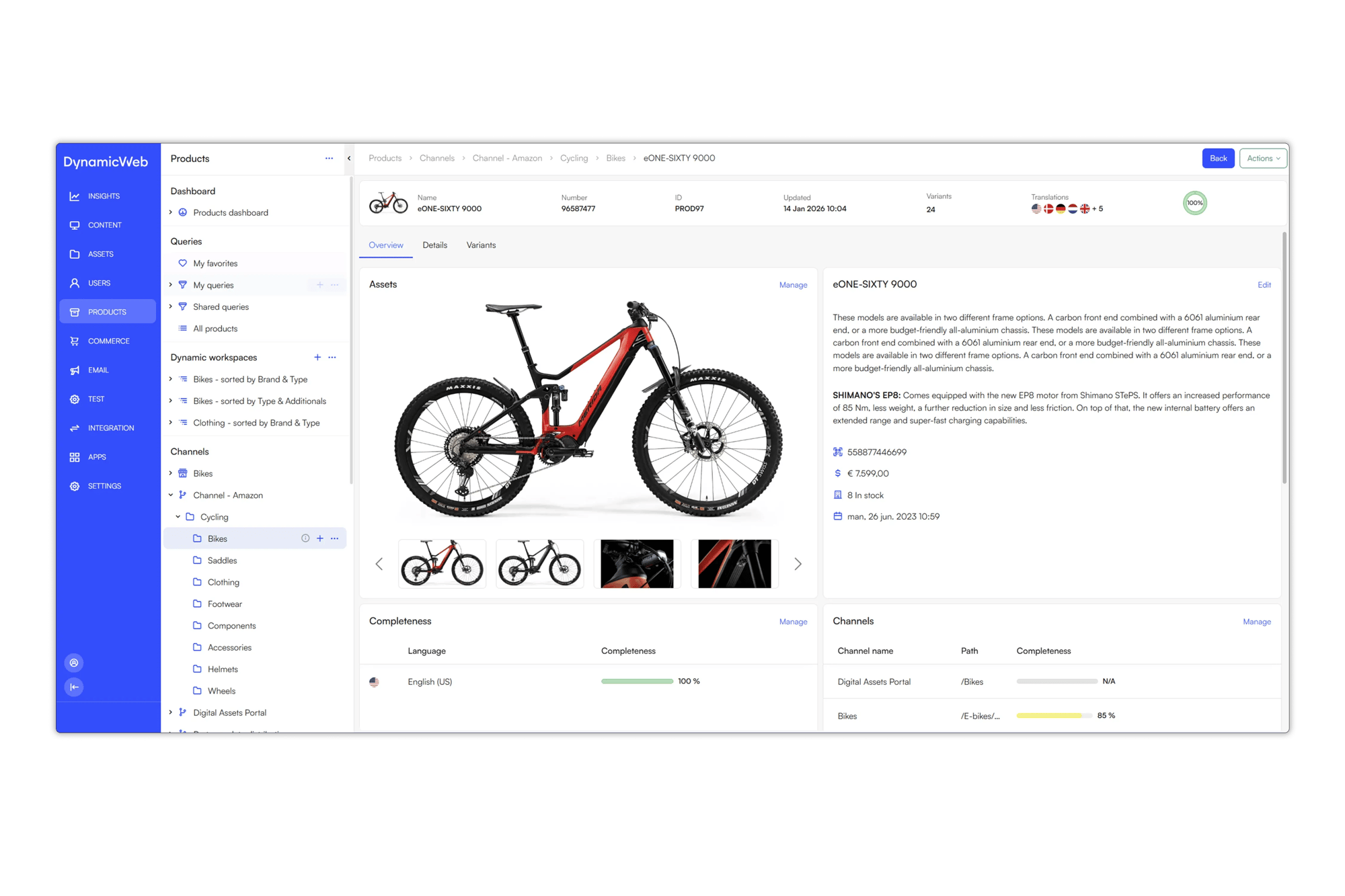
Truvio PIM: One Source of Truth for Accurate Product Data
Truvio PIM centralizes product information from multiple systems—including ERP, CRM, and supplier feeds—so your teams always work from consistent, reliable data while reducing costly errors.
Seamlessly sync pricing, inventory, and product attributes with your ERP, consolidate complex B2B catalogs into a single repository, and manage configurable product data at scale. With automation for bulk updates and built-in validation against internal and external standards, Truvio PIM helps ensure compliance, efficiency, and faster time-to-market across all channels.
8 key advantages for connecting Business Central and Truvio PIM
AppSource installation
Install directly from AppSource and configure inside Business Central without IT involvement.
Business-user mapping
Let Business Central users manage mappings themselves. No developers or custom code required.
Off-board product data
Move product data to PIM while keeping financial and transactional data safely in Business Central.
Bi-directional data exchange
Sync attributes, variants, languages, images, and documents seamlessly between BC and PIM.
Enriched data back in BC
Bring enriched product information back into Business Central to support AI-driven scenarios and automation.
One central product source
Deliver enriched product data to eCommerce, marketplaces, partner portals, and catalogs from one system.
Secure data sharing and access
Share accurate, up-to-date product data securely with customers, partners, and internal teams across your organization.
Extended BC product view
Access enriched product details, related items, and digital assets directly from the BC item card for better context and usability.

FAQ
1.) How does the PIM Connector make implementation easier for BC consultants?
The connector is built directly into Microsoft Business Central (BC) and allows consultants to work in a familiar environment with familiar technology. This reduces complexity and saves time in projects.
2.) How does the PIM Connector ensure smooth data flow between BC and PIM?
The Connector establishes a direct end point between Business Central and DynamicWeb PIM. This means that data can be exchanged without manual processes or intermediaries.
3.) Why is it an advantage to work in the familiar BC environment?
BC consultants can implement PIM without having to learn a whole new system. This increases efficiency, minimizes the learning curve, and provides a faster time-to-value for the customer.